KeepLiNK • Official Website

KeepLiNK 9-Port 2.5G Managed PoE Switch with 10G SFP+ Uplink Fanless Metal

Original price was: €226.11.Current price is: €92.92.

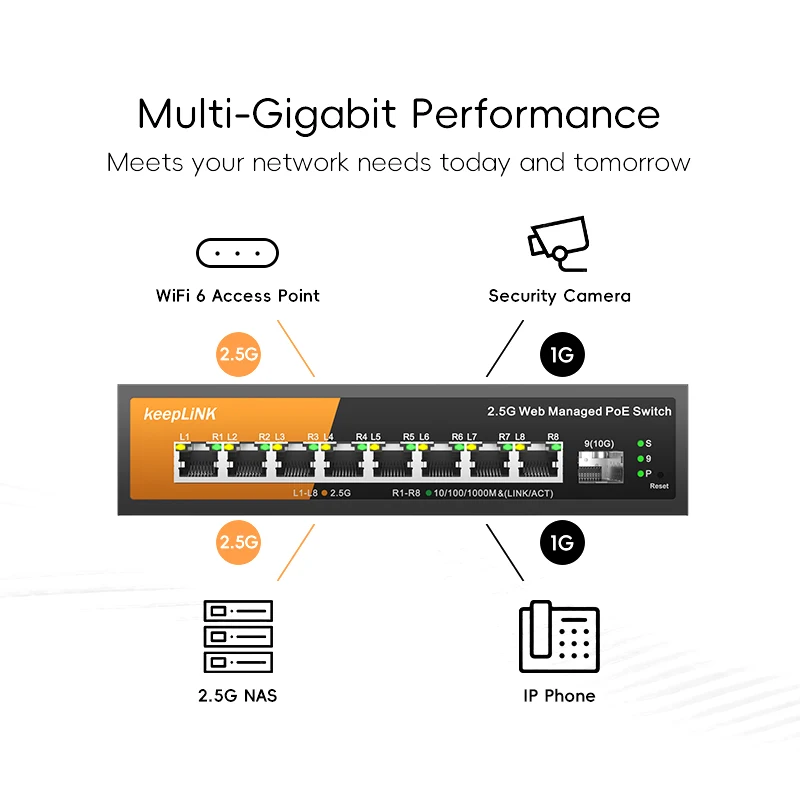
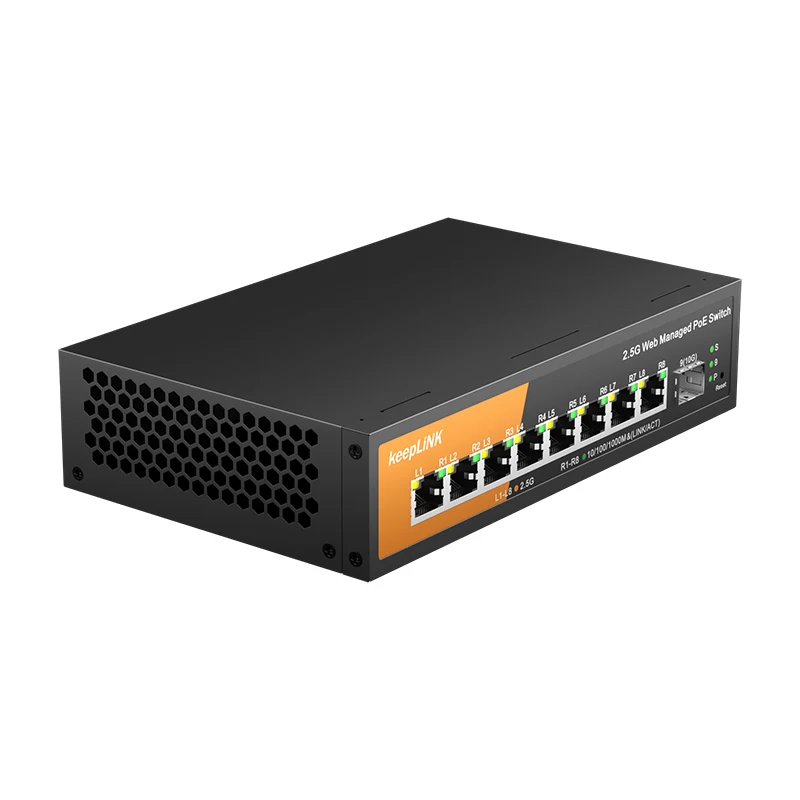
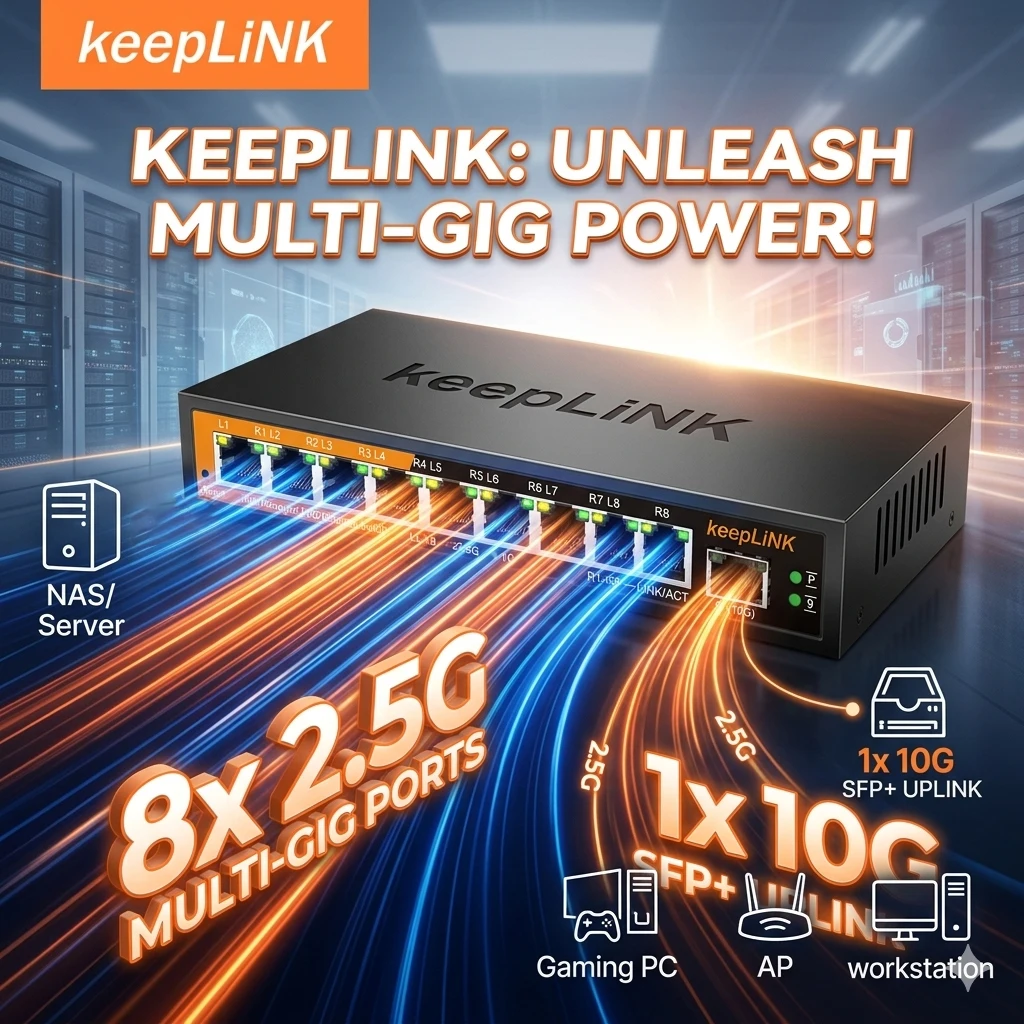
The KeepLiNK 9-Port Multi-Gigabit Managed PoE Switch delivers 8 ports of 2.5Gbps Power over Ethernet plus a single 10Gb SFP+ uplink in a silent, fanless metal enclosure built for home labs and small offices. VLAN, QoS, and LACP support give network administrators precise traffic control, while IEEE 802.3az energy efficiency keeps operating costs low.

KeepLiNK 9-Port Managed PoE Switch Features and Specifications

Each of the 8x 2.5Gbps PoE ports delivers up to the rated power budget, letting you connect wireless access points, IP cameras, and VoIP phones without separate power adapters. The dedicated 1x 10Gb SFP+ uplink port creates a high-capacity backbone connection to your NAS, server, or core router, eliminating bandwidth bottlenecks. A fanless metal enclosure eliminates fan noise entirely, making this switch ideal for quiet home labs, living-room media setups, and noise-sensitive office environments. Managed features include 802.1Q VLAN segmentation, QoS priority queuing, and LACP link aggregation, giving you enterprise-grade control over a compact 9-port platform. IEEE 802.3az Energy Efficient Ethernet automatically reduces power draw on idle links, which lowers electricity consumption without any manual configuration from a trusted brand like KeepLiNK.
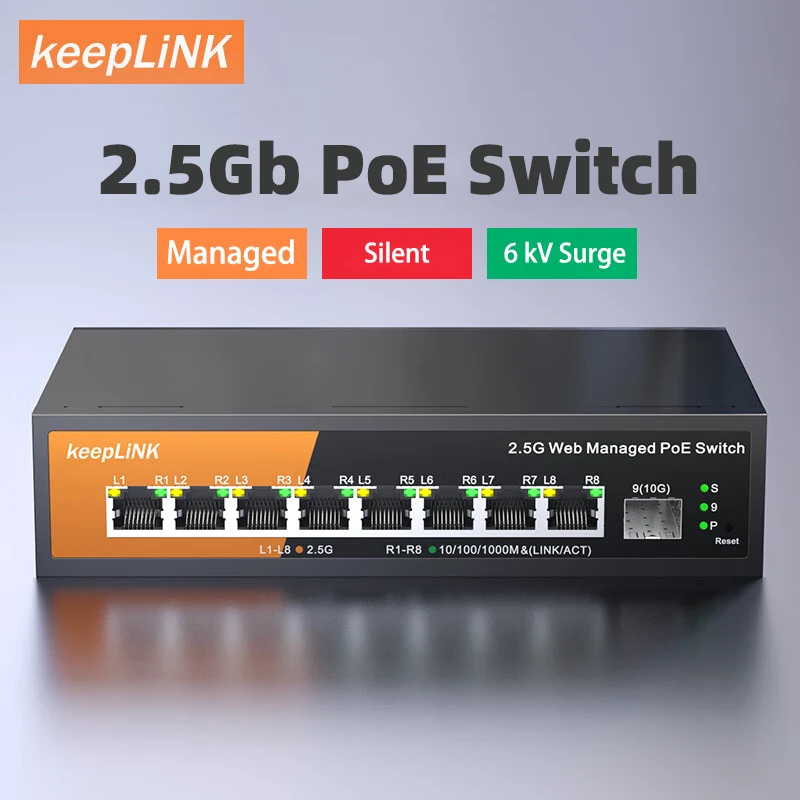
KeepLink 9-Port Multi-Gigabit Managed Switch with 8-2.5Gbps PoE and 1-10Gb SFP+ UplinkKeepLink 9-Port Multi-Gigabit Managed Switch with 8-2.5Gbps PoE and 1-10Gb SFP+ UplinkKeepLink 9-Port Multi-Gigabit Managed Switch with 8-2.5Gbps PoE and 1-10Gb SFP+ UplinkKeepLink 9-Port Multi-Gigabit Managed Switch with 8-2.5Gbps PoE and 1-10Gb SFP+ UplinkKeepLink 9-Port Multi-Gigabit Managed Switch with 8-2.5Gbps PoE and 1-10Gb SFP+ UplinkKeepLink 9-Port Multi-Gigabit Managed Switch with 8-2.5Gbps PoE and 1-10Gb SFP+ Uplink

110 reviews for KeepLiNK 9-Port 2.5G Managed PoE Switch with 10G SFP+ Uplink Fanless Metal

  1. J***g

    This is the second time that the delivery driver threw the package onto my concrete porch. The first time, i had to return the device because it didnt function properly. I suspect it was due to delivery driver damaging device by throwing package.

    Id love to give a good review but the whole process is what is up for review and the professional (lack of) standards of the chosen courier are leaving me without a functioning device, wasting both my time and the sellers money.

  2. A***f

    Exactly what i was looking for. It supports 2.5g (confirmed), vlans (confirmed) – both mixed (tagged+untagged) as well as tagged-only (aka trunk) or a single untagged vlan (access port). Also the usual settings like storm control (configured but have not tested), stp/rstp (tested), igmp snooping (untested), jumbo frames up to 12k (will test) and lacp.

    And of course poe. I am feeding power, the management network (untagged), and multiple vlans to a ubiquiti unifi u7pro and it works like a charm. Ethernet handshake is at 2.5g. Due to missing equipment i could not yet test at full speed, but wifi rates exceed 1gbps. Will do iperf3 tests later.

    So far very satisfied.

  3. m***r

    I now have two of these that have the identical fixed ip address of 192.168.1.168. Even if i change the ip to something else, it reverts to the default settings on a power interruption. Other than this, i’m able to do lacp to two 1gbit ports on my cisco switch and then a single 2,5gbit between switches, so it lets me expand a higher band network into my office. This ip address issue is go 8ng to be a problem every time i lose power though, as they conflict using the same static ip. Apparently this is a known issue with this 1.1 version of the firmware, but there are no updates, nor anywhere where i can download one.

  4. m***r

    I now have two of these that have the identical fixed ip address of 192.168.1.168. Even if i change the ip to something else, it reverts to the default settings on a power interruption. Other than this, i’m able to do lacp to two 1gbit ports on my cisco switch and then a single 2,5gbit between switches, so it lets me expand a higher band network into my office. This ip address issue is go 8ng to be a problem every time i lose power though, as they conflict using the same static ip. Apparently this is a known issue with this 1.1 version of the firmware, but there are no updates, nor anywhere where i can download one.

  5. d***r

    The product shipped quickly and arrived on time. The web management interface is fast and provides enough configuration options for my current needs. Was able to test the 2.5gb connectivity, and it worked flawlessly.

    The only con i would mention is that there’s no way to change the name of the switch within the web management interface. That would be a nice option to keep track of multiple switches when you’re logged into the interface.

Only logged in customers who have purchased this product may leave a review.

This is the second time that the delivery driver threw the package onto my concrete porch. The first time, i had to return the device because it didnt function properly. I suspect it was due to delivery driver damaging device by throwing package. Id love to give a good review but the whole process is what is up for review and the professional (lack of) standards of the chosen courier are leaving me without a functioning device, wasting both my time and the sellers money.
Exactly what i was looking for. It supports 2.5g (confirmed), vlans (confirmed) - both mixed (tagged+untagged) as well as tagged-only (aka trunk) or a single untagged vlan (access port). Also the usual settings like storm control (configured but have not tested), stp/rstp (tested), igmp snooping (untested), jumbo frames up to 12k (will test) and lacp. And of course poe. I am feeding power, the management network (untagged), and multiple vlans to a ubiquiti unifi u7pro and it works like a charm. Ethernet handshake is at 2.5g. Due to missing equipment i could not yet test at full speed, but wifi rates exceed 1gbps. Will do iperf3 tests later. So far very satisfied.
I now have two of these that have the identical fixed ip address of 192.168.1.168. Even if i change the ip to something else, it reverts to the default settings on a power interruption. Other than this, i’m able to do lacp to two 1gbit ports on my cisco switch and then a single 2,5gbit between switches, so it lets me expand a higher band network into my office. This ip address issue is go 8ng to be a problem every time i lose power though, as they conflict using the same static ip. Apparently this is a known issue with this 1.1 version of the firmware, but there are no updates, nor anywhere where i can download one.
The product shipped quickly and arrived on time. The web management interface is fast and provides enough configuration options for my current needs. Was able to test the 2.5gb connectivity, and it worked flawlessly. The only con i would mention is that there's no way to change the name of the switch within the web management interface. That would be a nice option to keep track of multiple switches when you're logged into the interface.